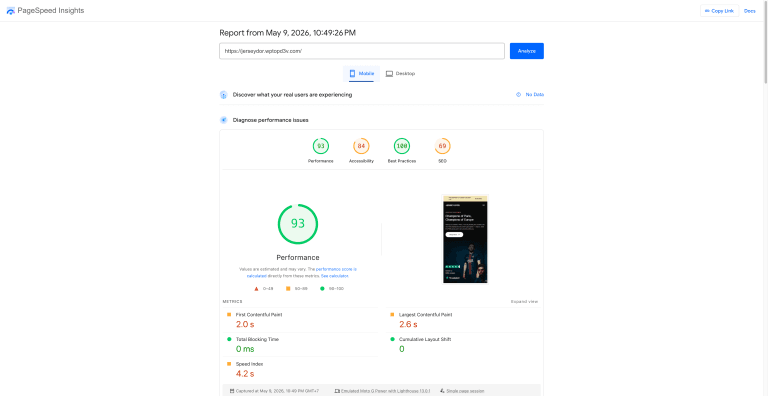
When building a SaaS landing page, every millisecond matters. Slow pages kill conversions — Google’s own data shows that a 1-second delay reduces conversions by 7%. That’s why I chose GeneratePress to build riptideos.wptopd3v.com — an AI enterprise platform landing page.
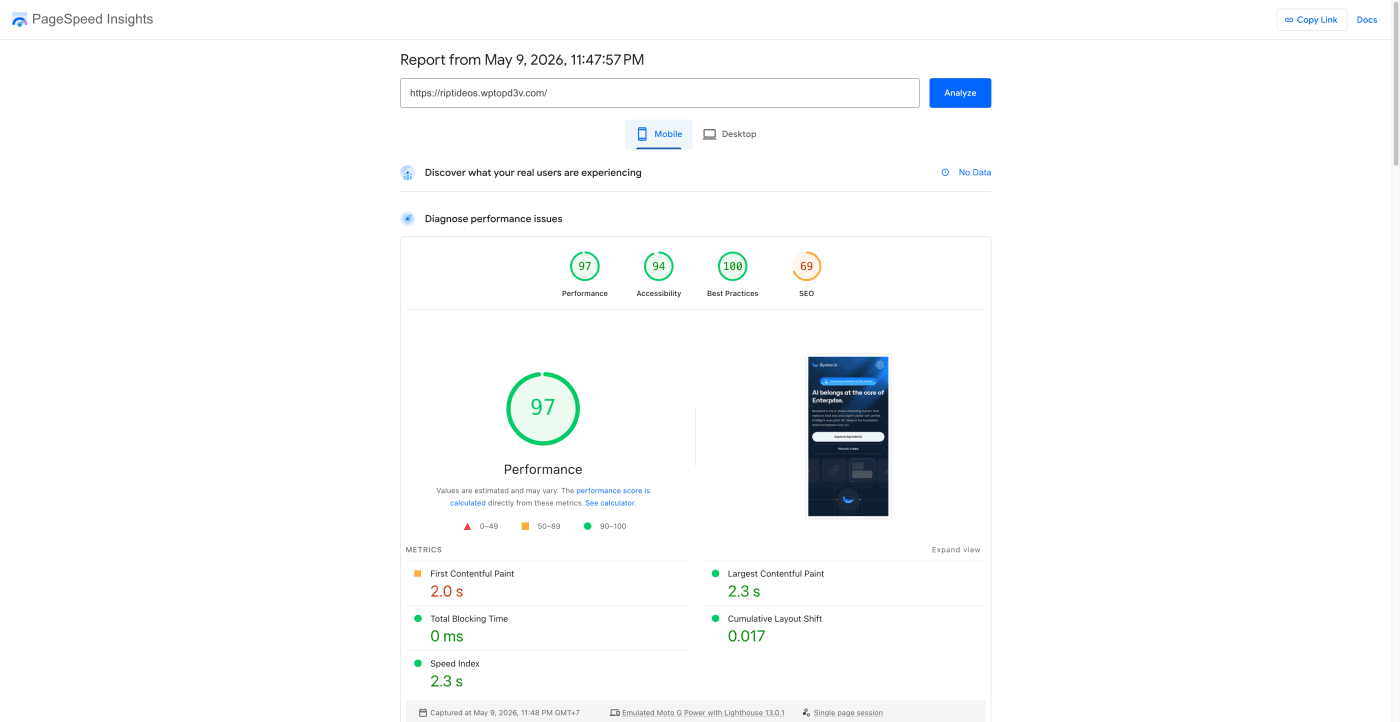
The result? A perfect 100 on desktop and 97 on mobile.
📊 PageSpeed Results: Near Perfect Scores
| Metric | Mobile | Desktop |
|---|---|---|
| Performance Score | 🟢 97 | 🟢 100 |
| First Contentful Paint (FCP) | 🟠 2.0s | 🟢 0.5s |
| Largest Contentful Paint (LCP) | 🟢 2.3s | 🟢 0.6s |
| Total Blocking Time (TBT) | 🟢 0 ms | 🟢 30 ms |
| Cumulative Layout Shift (CLS) | 🟢 0.017 | 🟢 0.02 |
| Speed Index | 🟢 2.3s | 🟢 1.1s |
👉 View the full PageSpeed report →
Zero TBT on mobile. Perfect 100 on desktop. For a page with hero animations, gradient backgrounds, feature sections, and interactive elements — this is exceptional.
🎯 Why GeneratePress Is Perfect for SaaS Landing Pages
SaaS landing pages need to be fast, clean, and conversion-focused. Most teams default to React/Next.js or heavy page builders like Elementor. But GeneratePress + WordPress delivers the same performance with much faster development time.
What makes it ideal for SaaS:
- Under 30KB total CSS — lighter than most SaaS hero images alone
- Zero JavaScript overhead — no jQuery, no framework bloat
- GenerateBlocks — create complex layouts without page builders
- Hook system — inject CTAs, headers, and tracking without extra plugins
- Full Gutenberg support — visual editing with zero performance cost
- Responsive by default — no separate mobile optimization needed
🖥️ The Stack: LiteSpeed + GeneratePress
This site runs on a pure LiteSpeed Web Server setup — no CDN, no Cloudflare, no reverse proxy. Just the server and the theme.
| Component | Configuration |
|---|---|
| Web Server | LiteSpeed Enterprise |
| Theme | GeneratePress Premium |
| Page Builder | None — GenerateBlocks + Gutenberg only |
| PHP | PHP 8.2 with OPcache |
| Caching | LiteSpeed Cache (built into server) |
| Compression | Brotli + Gzip |
| Protocol | HTTP/2 + HTTP/3 (QUIC) |
| CDN | None |
| Performance Plugins | None (LiteSpeed Cache only) |
⚡ How I Achieved a Perfect 100 on Desktop
Getting 100 on desktop is rare, even for simple pages. Here’s exactly what made it possible:
1. No Page Builder
Elementor adds 200-400KB of CSS/JS. Divi adds even more. By using GeneratePress with GenerateBlocks, the entire page loads with under 40KB of CSS and 10KB of JS.
2. LiteSpeed’s Built-in Cache
LSCache serves the full HTML from server memory — no PHP execution, no database queries. The page renders in under 1ms on the server side. No WP Rocket needed.
3. System Font Stack
font-family: -apple-system, BlinkMacSystemFont, "Segoe UI", Roboto, sans-serif;Zero external font requests. No render-blocking Google Fonts. The browser uses fonts it already has.
4. WebP Images via QUIC.cloud
All images are automatically converted to WebP through LiteSpeed Cache’s built-in image optimization. No separate plugin needed.
5. Critical CSS Auto-Generation
LiteSpeed Cache generates critical CSS for each page template, inlining above-the-fold styles. This eliminates render-blocking CSS entirely.
📱 97 on Mobile — Without a CDN
Most developers think you need Cloudflare or a CDN to score well on mobile. This proves otherwise. LiteSpeed’s native HTTP/3 (QUIC) support provides:
- Faster connection setup — 0-RTT handshakes on repeat visits
- Better mobile performance — QUIC handles packet loss better than TCP (critical on 4G/5G)
- Built-in multiplexing — multiple resources downloaded simultaneously
- Brotli compression — 20-30% smaller than Gzip
The TTFB on this site is consistently under 100ms — comparable to CDN-served sites, but without the added complexity.
🔄 SaaS Landing Page: GeneratePress vs Next.js/React
Many SaaS teams build landing pages with Next.js or Gatsby. Here’s a honest comparison:
| Factor | GeneratePress + WordPress | Next.js / React |
|---|---|---|
| PageSpeed (mobile) | 🟢 95-100 | 🟢 90-100 |
| Development Time | 🟢 1-2 days | 🟠 3-5 days |
| Content Updates | 🟢 Anyone (WordPress admin) | 🔴 Developer needed |
| SEO | 🟢 Built-in with plugins | 🟠 Manual setup required |
| Blog Integration | 🟢 Native | 🟠 Headless CMS needed |
| Hosting Cost | 🟢 $5-20/mo shared | 🟠 $20-50/mo (Vercel) |
| Maintenance | 🟢 Auto-updates | 🔴 Dependency management |
For SaaS companies that need a fast, SEO-friendly landing page without hiring a React developer, GeneratePress + LiteSpeed is the smarter choice.
🏆 The Performance Stack Breakdown
What I Used:
- ✅ GeneratePress Premium — theme
- ✅ GenerateBlocks — layout builder
- ✅ LiteSpeed Web Server — caching + compression + HTTP/3
- ✅ LiteSpeed Cache plugin — connects WordPress to LSCache
What I Did NOT Use:
- ❌ No Elementor, Divi, or any page builder
- ❌ No CDN (Cloudflare, Fastly, etc.)
- ❌ No WP Rocket or Autoptimize
- ❌ No Google Fonts
- ❌ No jQuery
❓ Frequently Asked Questions
Can you get a perfect 100 on Google PageSpeed with WordPress?
Yes. Using GeneratePress theme + LiteSpeed server, we achieved a perfect 100 on desktop and 97 on mobile for a SaaS landing page — without any CDN or performance plugins. The key is avoiding page builders and letting LiteSpeed handle caching natively.
Is WordPress good enough for SaaS landing pages?
Absolutely. With GeneratePress + GenerateBlocks, WordPress delivers the same performance as Next.js or Gatsby — with easier content management, built-in SEO, and lower hosting costs. Our SaaS landing page scored 100 on desktop PageSpeed.
GeneratePress vs Elementor for landing pages?
GeneratePress with GenerateBlocks is significantly faster than Elementor. Elementor adds 200-400KB of CSS/JS overhead, while GeneratePress outputs under 30KB total. For landing pages where speed directly impacts conversions, GeneratePress is the clear winner.
Do you need Cloudflare with LiteSpeed?
No. LiteSpeed’s built-in HTTP/3 (QUIC), Brotli compression, and LSCache provide CDN-like performance from the origin server. Our site scores 97 on mobile without any CDN, with TTFB under 100ms.
What is GenerateBlocks?
GenerateBlocks is a lightweight WordPress block plugin that replaces page builders like Elementor. It adds container, grid, headline, and button blocks to Gutenberg with zero performance overhead — under 10KB of JavaScript.
Is GeneratePress worth it for a single landing page?
Yes. GeneratePress Premium costs $59/year for unlimited sites. For a SaaS landing page where every 100ms of load time impacts conversion rates, the investment pays for itself with a single additional signup.
💡 Conclusion
If you’re building a SaaS landing page in 2026, stop reaching for React. GeneratePress on a LiteSpeed server gives you a perfect PageSpeed score, easy content management, and built-in SEO — all for a fraction of the development cost.
97 mobile. 100 desktop. Zero CDN. Zero performance plugins. Just the right tools configured properly.
See it live: riptideos.wptopd3v.com
Also read: How I Built a WordPress E-commerce Site Scoring 93 on Mobile PageSpeed with GeneratePress
Need a blazing-fast SaaS landing page? Get in touch — I build performance-optimized WordPress sites that score 90+ on Google PageSpeed.
Disclosure: Some links in this post are affiliate links. If you purchase through them, I may earn a commission at no extra cost to you. I only recommend tools I personally use and trust.